SpinBetter App: Android, iOS PWA and Mobile Browser
 Available in AU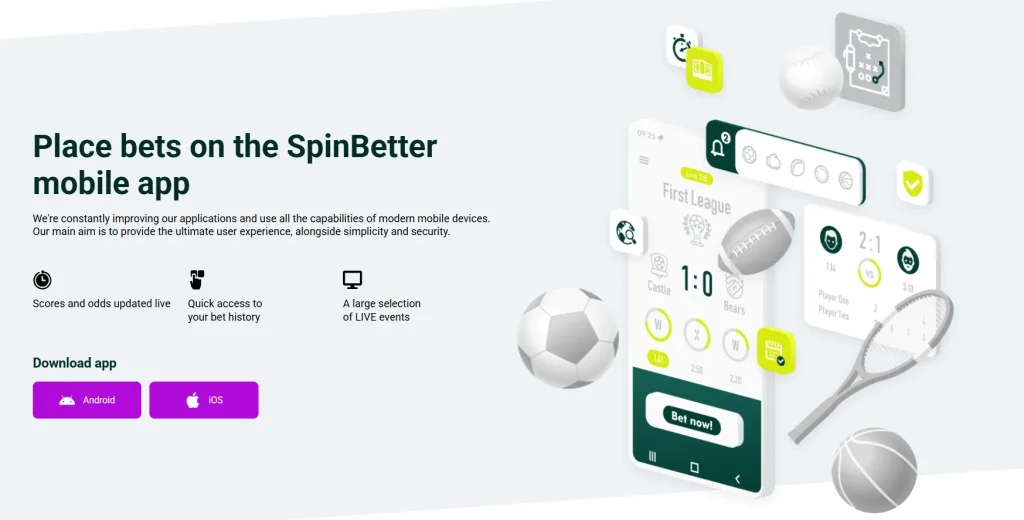
Table of Contents
- Android, iOS PWA and browser access compared
- What the official SpinBetter mobile page confirms
- How the SpinBetter Android install differs from a store install
- iPhone access is documented as a PWA-style home-screen setup
- Mobile browser access is the lowest-friction option
- Updates work differently across the three routes
- Storage and device commitment are not identical
- Mobile games should be checked from the live catalogue
- Payments on mobile use the same account context
- Sportsbook use is one of the main reasons SpinBetter promotes mobile access
- Security checks matter most when installing the Android APK
- Which SpinBetter mobile setup fits Android and iPhone users
Section element
SpinBetter currently provides an official Android installation flow and a PWA-style home-screen installation path for iOS. Its mobile page shows an Android APK process that involves allowing installation from an unknown source, while the iOS instructions describe adding the loaded SpinBetter website to the home screen. That is not the same as confirming a native Apple App Store listing, so this guide does not claim one.
A third option is simply to use SpinBetter in a mobile browser without installing anything. The practical choice therefore comes down to three routes: Android install, iPhone home-screen PWA, or browser access. The rest of this page explains what changes between them and where extra caution is sensible. For the full site overview, see the SpinBetter Australia Review.
Android, iOS PWA and browser access compared
| Route | How it works | Main practical point |
|---|---|---|
| Android install | Download the official SpinBetter APK and install it on the device. | Requires extra care because the install is outside the usual app-store flow. |
| iOS PWA | Load SpinBetter in Safari and add the site to the home screen. | Creates app-like access without proving a native App Store app exists. |
| Mobile browser | Open the site directly in a supported browser. | No installation step and minimal local storage commitment. |
What the official SpinBetter mobile page confirms
The current official mobile page presents both Android and iOS options. For Android, it shows a downloadable SpinBetter APK and a sequence that opens device settings, allows installation from unknown sources, selects the downloaded file and installs it. For PWA installation, it instructs the user to wait for the website to load, use the Share control and choose Add to Home Screen.
The same page promotes live score and odds updates, access to betting history and a selection of live events. Those are product claims made on SpinBetter’s own mobile page. They do not establish Australian licensing or guarantee that every feature is enabled for every account.
The distinction matters because the word “app” can describe more than one technical route. An APK is an Android application package. A PWA is a website configured for app-like home-screen access. A mobile browser session is simply the web service opened without installation.
How the SpinBetter Android install differs from a store install
SpinBetter’s Android instructions explicitly include enabling installation from unknown sources. Android uses that warning because the file is being installed outside the standard store distribution channel. That does not by itself prove the file is unsafe, but it does mean the user is taking responsibility for checking the source more carefully.
Only obtain the APK through the current official SpinBetter mobile page. Do not use a mirror, forum attachment or third-party download portal just because the filename looks correct. Before installing, confirm that the browser address is the official SpinBetter domain and that you intentionally initiated the download from that page.
After installation, review the permission prompts Android presents. A gambling or betting app should not be treated as exempt from normal device-security hygiene. If a requested permission looks unrelated to the feature you are using, stop and verify the current official instructions rather than approving every prompt automatically.
iPhone access is documented as a PWA-style home-screen setup
For iOS, SpinBetter’s current mobile page documents a home-screen installation flow. The instructions tell the user to load the site, press Share, select Add to Home Screen and confirm Add. That produces an app-like icon and launch experience based on the website.
This guide therefore avoids calling it a native Apple App Store app. A home-screen PWA and a native App Store package can look similar to a casual user, but they are distributed and updated differently. Unless a current App Store listing is independently verified, describing the official iOS route as PWA-style access is more precise.
The same home-screen concept is also shown as available for Android on the official mobile page, giving Android users a lower-commitment alternative to installing the APK.
Mobile browser access is the lowest-friction option
If you do not want to install an APK or add a PWA icon, using the website in a mobile browser is the simplest route. It avoids a separate installation step and makes it easy to clear site data through normal browser controls.
The trade-off is mostly convenience. A home-screen icon can provide quicker launch behaviour, while a dedicated Android install may integrate differently with the device. The browser option keeps access closer to a normal website session and can be useful when you only need occasional account access.
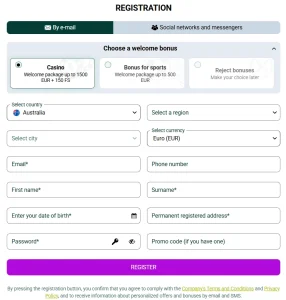
Whichever route you use, the account is the same service account rather than a separate mobile identity. Registration and verification questions belong in the SpinBetter registration Australia, not in a second mobile-only account process.
Updates work differently across the three routes
A browser session normally receives the latest web interface when the site loads. A PWA is also web-based, so much of its interface can update through the underlying site rather than through a conventional app-store update cycle. An installed Android APK can require a new application package when SpinBetter changes the native app.
That difference is one reason to return to the official mobile page when an Android install needs updating. Re-downloading an APK from an old bookmark to a third-party mirror can introduce unnecessary risk. The safest operational habit is to start from the official website and follow the current instructions shown there.
No unsupported performance, battery-life or speed benchmark is claimed here. Real behaviour can vary by device, browser, operating-system version, network quality and the current SpinBetter build.
Storage and device commitment are not identical
A full Android application package generally represents the highest installation commitment of the three options because it places an application on the device. A PWA creates a home-screen experience and can store site data, but it remains closely tied to the web version. Browser-only use avoids a dedicated app icon unless you create one yourself.
The exact storage footprint is not published here because it can change by release and device. If storage matters, compare the live download size shown by Android with the browser or PWA alternative on your own phone rather than relying on a static figure.
Mobile games should be checked from the live catalogue
SpinBetter offers casino and live-casino content, but this mobile page does not duplicate the full game review. The important mobile check is whether the title you want appears and runs correctly in the route you choose. Provider availability and individual titles can change, and a game that works in a desktop browser is not automatically guaranteed to behave identically on every phone.
For game categories, providers and the broader catalogue, use SpinBetter games Australia. That keeps the mobile page focused on access and installation rather than turning it into a second casino-library review.
Payments on mobile use the same account context
Deposits and withdrawals initiated from a phone still depend on the payment methods and account conditions available to that user. Installing the Android app or PWA does not create a special mobile cashier with permanently different limits.
Before moving money, inspect the live cashier and current terms for the method shown. The SpinBetter payment methods Australia section covers deposit, withdrawal and crypto considerations separately, including the boundary between platform payment support and Australian regulatory context.
Sportsbook use is one of the main reasons SpinBetter promotes mobile access
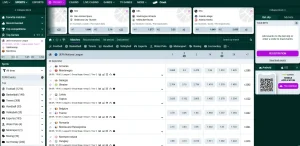
The official mobile page highlights live scores, changing odds, betting history and live events, so sportsbook use is clearly part of the product’s mobile positioning. Mobile access can be convenient when an event is already in progress because the interface is designed for frequent updates and quick navigation.
That does not change the need to evaluate the sportsbook on its own terms. Market coverage, bet types and Australian regulatory questions belong on the dedicated SpinBetter sportsbook Australia page rather than being inferred from the existence of a mobile app.
Security checks matter most when installing the Android APK
The Android flow deserves the most caution because it asks the device to permit installation from an unknown source. Follow that setting only as part of the official installation process and switch back to your normal security preference afterward if your device allows it. Do not treat a generic instruction to enable unknown-source installation as permission to install unrelated APK files.
For every route, use the official domain, keep the operating system and browser current, protect the account with strong unique credentials, and avoid saving login details on a shared device. If a page or download asks for information that does not fit the normal account flow, close it and navigate back to SpinBetter from a trusted bookmark or manually entered address.
Which SpinBetter mobile setup fits Android and iPhone users
For Android users who want a dedicated install, SpinBetter provides an official APK flow, but the extra unknown-source step makes source verification important. For Android users who prefer less device-level commitment, the PWA or ordinary browser route can be simpler. For iPhone users, the currently documented path is the home-screen PWA workflow rather than a verified native App Store listing.
The best practical choice is therefore about convenience and risk tolerance, not about a universal performance winner. Use the browser if you want the fewest installation steps, use the PWA if you want quick home-screen access while staying close to the web version, and use the Android APK only when you specifically want that install route and have confirmed you are downloading it from the official SpinBetter page.